
Power BI Embedded Analytics Services, for True Multi-Tenant Isolation

Power BI Embedded puts live, interactive Power BI reports directly inside your own SaaS product or portal, styled as your own, with no separate login and no Power BI license for your users. NeenOpal builds these embeds on Power BI's App-Owns-Data model, so every customer works inside the same product experience while their data stays isolated to them alone.

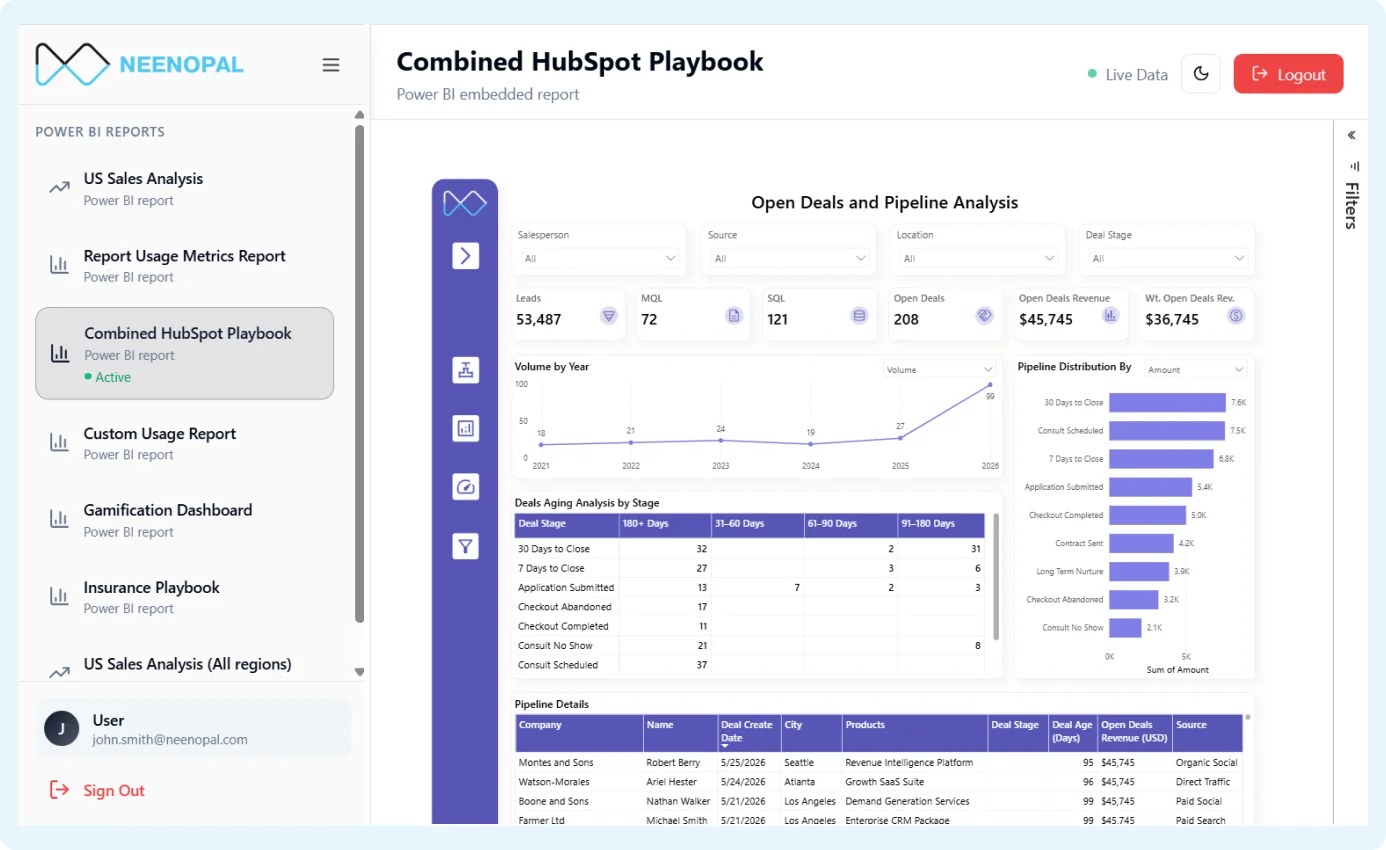
Power BI Embedded Analytics illustration

Our Power BI Embedded Architecture: App-Owns-Data & Service Principal Authentication

App-Owns-Data is Power BI's purpose-built embedding model, built so a single Service Principal signs in on every viewer's behalf instead of each one needing their own Power BI account. The resulting embed token carries that user's identity and permissions together, so login and row-level access happen in one handshake.

Because that exchange happens server-to-server before the report renders, there's no visible redirect, and nothing about a tenant's access sits in the browser to be tampered with. Here's how that handshake breaks down, step by step:

1

Register a Service Principal

Register a Service Principal in Microsoft Entra ID and grant it access to the workspace holding your reports. Its credentials are what your backend uses to prove every embed request is coming from your application, not a live user.
2

Request an embed token

Your backend authenticates as that Service Principal and calls Power BI's Generate Token API, passing the report ID and the viewer's identity. Power BI uses this to determine exactly what that person is allowed to see.

3

Power BI mints the token

Power BI validates the request, then generates and signs an embed token itself, rather than trusting a token your backend already signed. That token carries the viewer's permissions and expires automatically after a short window.

4

Report renders in your app

Your app hands that embed token to Power BI's JavaScript SDK, which renders the report directly inside your interface. The viewer sees only their own data, with no separate login and no Power BI account required.

PARTNERS

A Real Power BI Embedded Rollout

A client's customers could only get secure, filtered dashboards through a separate report and semantic model built for each one, with no way to deliver them inside the client's own portal.

We moved them to App-Owns-Data embedding on Microsoft Fabric. A Service Principal generates an embed token that carries each user's identity, and dynamic RLS filters one shared report. Now every customer opens it inside the portal with no extra login, and each sees their own version.

Outcomes Enterprise Leaders Measure Us By

$750M+
Financial Impact Delivered to Clients
85%
Of engagements reached North Star outcomes within 90 days
8X
Faster Go-to-Market With AI Acceleration
60%
Cloud cost savings across operations

Where Clients Embed Power BI

Embedding fits wherever your users already work, each one secured differently, but never with a second login.

Customer Portal

A client-facing product where every customer logs in to see only their own numbers, like a logistics firm surfacing each client's shipment analytics, or a wealth platform showing each investor their own portfolio. It's Power BI embedding at its most tenant-aware, secured through App-Owns-Data and dynamic RLS.

Internal Business App

An intranet or internal tool where employees open dashboards every day without ever knowing Power BI sits underneath. The Service Principal handles authentication silently in the background, so nobody juggles a second login, a second password, or a separate Power BI account just to see their numbers.

Client Reporting Portal

Common in consultancies and agencies where the deliverable is a living, white-labeled dashboard, not a static PDF report. Clients log into a branded portal and see only their own slice of the data, the exact kind of embedded analytics experience that makes retainers feel worth renewing.

Power BI Embedded Analytics Licensing: Where Most Teams Get Caught Out

The model you choose here shapes both your bill and how the deployment gets architected, so it's worth getting right before you build. Here's how the two options work:

Model
How it works
Best for
Premium Per User (PPU)
Per-seat licensing charged per named viewer; every user needs their own PPU license. Predictable, but costly as headcount grows.
Small, clearly identifiable teams, usually internal reporting users you can count.
Premium / Fabric Capacity (F-SKU / P-SKU) no cap on users
One fixed-cost Fabric capacity that any number of users can share, with usage smoothed and throttled under heavy load.
Large external rollouts and SaaS products serving hundreds or thousands of users.

Two things most clients miss

  • Your internal Power BI license doesn't automatically cover external embedding. Confirm your capacity is provisioned for it before you build.
  • Per-user licensing works for a handful of external viewers. Move to capacity-based licensing early is beneficial.

Cut Power BI Embedded Licensing Cost, Without Cutting Capability

Licensing cost is an engineering decision: pick the right model, then control load, monitor usage, and fix causes.

Choose the Model

Premium Per User bills every viewer by seat. Power BI Embedded and Fabric capacity charge one fixed fee, cheaper past a few dozen viewers.

Control the load

Aggregations cut what the capacity has to compute. Incremental refresh cuts what it has to reload, lowering the load your licence tier carries.

Monitor the usage

The Capacity Metrics App flags the one report quietly eating a disproportionate share of your capacity, before it turns into a throttling incident.

Fix the Cause

Optimise the heavy report and its refresh pattern first. Buying more capacity is the expensive fix, tuning the workload is usually the real one.

How Row-Level Security Works: Static vs. Dynamic RLS

We enforce isolation inside the data itself, not on the screen, so even a technical attempt to tamper with your app can't reach a tenant's data beyond what they're allowed to see.

Static RLS

A fixed role hard-coded per user group, like a "West Region" role. Works fine for a handful of internal teams, but doesn't scale to hundreds of external customers.

Dynamic RLS (Default)

We read attributes tied to each user's identity, region, client, or department, and resolve access automatically against an entitlement table, so each user gets a correctly scoped view.

Isolation You Can Prove

  • Validated with controlled manual testing, including a revoked-mapping case, confirming access fails closed by default, not open.
  • Admin permission exports and activity logs are available on request, backed by ISO 27001, ISO 42001, SOC, and HIPAA compliance.

Object-level security and dedicated per-tenant workspaces are available as add-ons, for hiding specific columns or full physical isolation.

Related Power BI Services

At NeenOpal, we provide specialised Power BI solutions that enhance data visualisation and analytics. Our offerings help businesses unlock the full potential of their data.

Power BI Consulting Services

Full-cycle Power BI implementation, dashboard design, and DAX optimization tailored to your business.

Discover More

Power BI Migration Services

Seamless migration of legacy reporting tools onto Power BI with zero workflow disruption.

Discover More

Power BI Dashboard Development Services

Custom, KPI-driven Power BI dashboards built for faster, clearer, more confident business decisions.

Discover More

Choose the Power BI Engagement Model That Fits Your Needs

Managed Embedding Engagement

A dedicated project manager plus the Power BI embedding team your rollout needs, owning architecture, App-Owns-Data and Service Principal setup, entitlement design, and handover end-to-end.

Request an embedding assessment

Power BI Developers on Your Team

Certified Power BI developers join your existing team for the embed-token integration, entitlement modeling, or dashboard work you don't have in-house bandwidth for.

Find available Power BI experts

Fixed-Scope Embedding Sprint

One product or portal embedded, fixed scope, fixed price, and milestone-based delivery, so you know the cost, timeline, and outcome before work begins.

Get a project estimate

Power BI Embedded Analytics FAQs

Direct answers to the concerns that matter before committing time and budget.

Power BI row-level security enforced by the semantic model, plus App-Owns-Data architecture with a server-side Service Principal minting tokens scoped to the authenticated user's own tenant.

App-Owns-Data. User-Owns-Data would require every external user to have a Power BI license and Microsoft credentials, impractical for SaaS.

Yes. Beyond a few hundred tenants, we move to a single shared workspace with one model, CUSTOMDATA() and USERPRINCIPALNAME() carrying tenant and user identity, and RLS filtering on both.

We walk through the auth flow and token generation, share Fabric admin exports showing no cross-tenant paths, run per-tenant test accounts with negative testing for fail-closed behaviour, and provide Power BI activity logs for your own audit.

By choosing capacity (F-SKU/P-SKU) over per-user licensing past the right user count, reducing load with aggregations and incremental refresh, and using the Capacity Metrics App to find and fix capacity-hungry reports.