
Tableau Embedded Analytics Services for Secure Multi-Tenant SaaS

NeenOpal is a certified Tableau Partner delivering Tableau embedded analytics for SaaS products, customer portals, and internal apps. We embed Tableau dashboards using Connected Apps and JWT SSO, with row-level security enforced inside Tableau itself, so every tenant sees only their own data without logging into a second product.

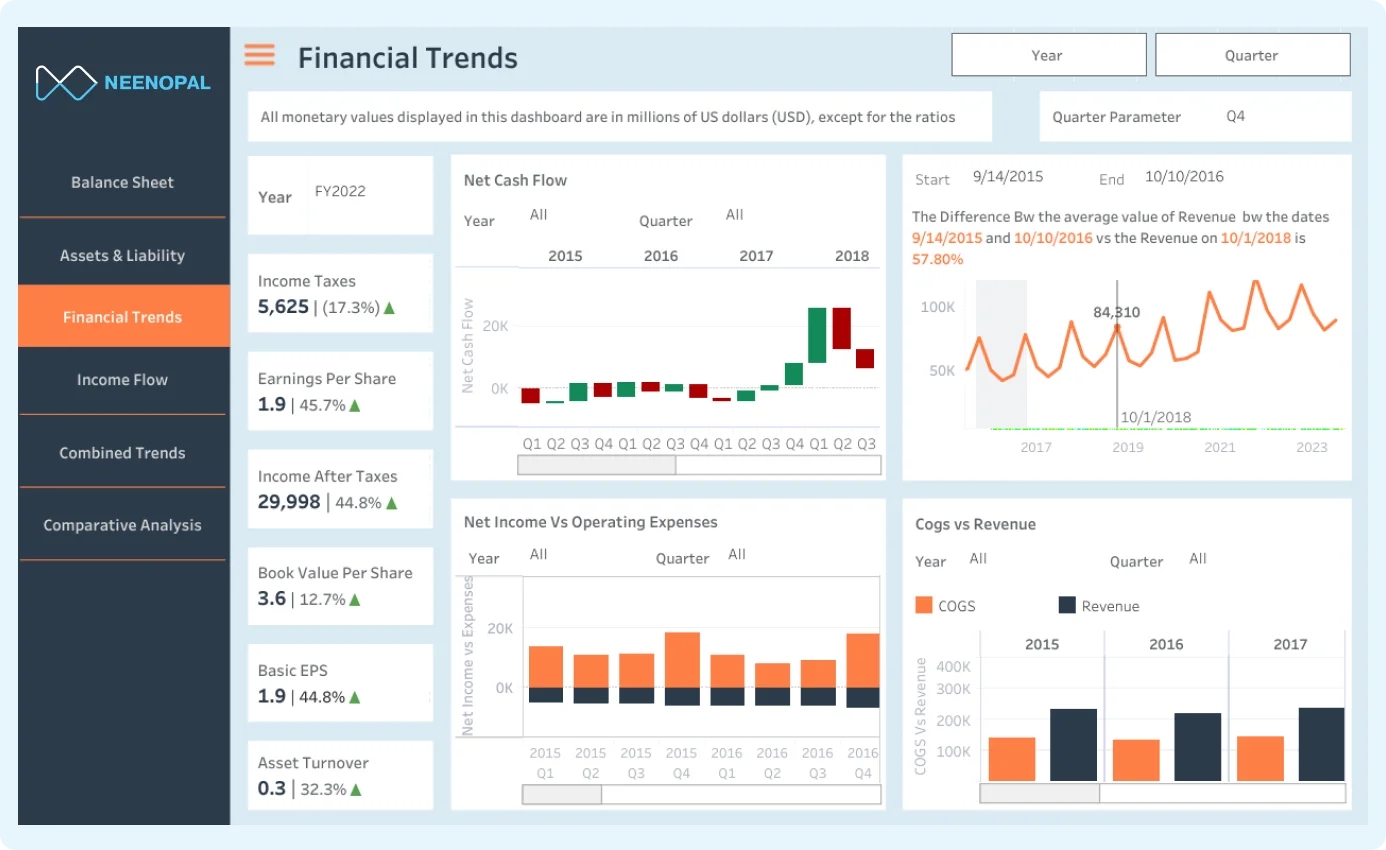
Tableau Embedded Analytics Services illustration

Our Tableau Embedded Architecture: Connected Apps & JWT SSO

Connected Apps is Tableau's recommended method for securing embedded dashboards. It replaces the older trusted-ticket approach many legacy Tableau Server embeds still use. A trusted ticket confirms only who the user is. A Connected App sends a signed token (JWT) that also carries the user's permissions and data access, all in one step.

The token is created and signed on your servers, so the secret key never reaches the browser. If anyone alters it, the signature fails, and Tableau rejects the request. Here's how the process works:

1

Establish trust (one time)

A Tableau Cloud admin creates a Connected App using direct trust, which provides a Client ID, Secret ID, and Secret Value. These let Tableau recognise tokens that genuinely come from your application, and embedding can be limited to approved domains.
2

Your server signs a JWT

When a logged-in user opens an embedded view, your backend creates a short-lived JWT that names the Tableau user and can carry attributes such as tenant ID or role. It's signed with the Secret Value, which never leaves your server.

3

Tableau verifies

Tableau checks the token's signature, expiry, audience, and scopes, and confirms the user exists on the site. If anything doesn't match, the request is rejected, so a forged or expired token never reaches a dashboard.

4

Dashboard loads

The user goes straight into the embedded dashboard with no separate Tableau login. Their Tableau permissions control what they can open, and the token's attributes can drive row-level security where content is built to use them.

A Real Embedded Analytics Rollout

A client had built an internal portal as the hub for their operations, with tools, reports, and data in one place. Moving to Tableau Cloud broke it: users were redirected out into Tableau Cloud separately, so they could no longer compare dashboards against the other data on the same screen.

We embedded the Tableau dashboards directly into the portal with Connected Apps and JWT. Users now see live interactive dashboards inside the portal, compare them against adjacent data, and never leave or log in to Tableau separately. Adoption rose because the analytics became part of the natural workflow rather than a separate tool.

Outcomes Enterprise Leaders Measure Us By

$750M+
Financial Impact Delivered to Clients
85%
Of engagements reached North Star outcomes within 90 days
60%
Average cloud cost savings across client operations
900+
Tableau dashboards delivered by 30+ certified Tableau experts

Where Clients Embed Tableau

Embedding fits wherever your users already work, each one secured differently, but never with a second login.

Internal Business App

An intranet or internal tool where employees use live dashboards every day without ever knowing Tableau powers them. Connected Apps handles seamless SSO, so no one needs a separate login to get in.

Client Reporting Portal

Common in consultancies and agencies, where the deliverable is a live interactive dashboard, not a static report. Clients log into a branded portal and see only their own data slice, every time.

Tableau Embedded Analytics Licensing: Where Most Teams Get Caught Out

The model you choose here shapes both your bill and how the deployment gets architected, so it's worth getting right before you build. Here's how the two options work:

Model
How it works
Best for
Named User (Per Seat):From $15/user/month for a viewer license
Users are licensed according to their Tableau role.
Small, identifiable sets of external users.
Usage-Based (Analytical Impressions):No per-viewer license
Pay for a pool of impressions: one is consumed each time a viewer loads a dashboard, exports content, or receives a subscription.
Large external deployments, such as customer portals and SaaS products with hundreds or thousands of users.

Two things most clients miss

  • Standard Tableau Cloud Viewer/Explorer seats do NOT cover external users accessing embedded content. External users require the Embedded Analytics license, or you are outside Tableau's EULA.
  • The Embedded Analytics license cannot run in the same Tableau environment as your existing full-use licenses. They must be on separate sites, which significantly changes how the deployment is planned and architected

Tableau Embedded Analytics at Scale: How We Handle It

A handful of embedded users is simple. Hundreds or thousands of external customers is an architecture question, and the parts that break first are entitlements, licensing, and site design.

Usage-Based licensing past a threshold

Beyond a certain viewer count, per-seat Named User licensing stops making sense; Usage-Based (Analytical Impressions) is the model built for large external audiences who can't each hold a seat.

A dedicated embedded site

Because the Embedded Analytics license can't share a site with full-use licenses, external customers are served from their own site, which also cleanly separates their governance and content from internal users.

Isolation you can prove

Identity and entitlements are enforced inside Tableau from the signed token and the entitlement join. Scale never loosens isolation; one customer can never see another's rows, regardless of viewer count.

Related Tableau Services

NeenOpal's Tableau embedded analytics services sit alongside a full range of Tableau consulting, from first implementation to performance tuning.

Tableau Dashboard Development Services

Custom, KPI-driven Tableau dashboards delivering accurate, reliable insights for smooth, confident daily operations.

Discover More

Tableau Platform Migration Services

Migrating and modernizing your Tableau environment and licensing without disrupting existing reporting workflows.

Discover More

Choose the Tableau Engagement Model That Fits Your Needs

Managed Embedding Engagement

A dedicated project manager plus the Tableau embedding team your rollout needs, owning architecture, Connected Apps and JWT setup, entitlement design, and handover end-to-end.

Request an embedding assessment

Tableau Developers on Your Team

Certified Tableau developers join your existing team for the JWT integration, entitlement modeling, or dashboard work you don't have in-house bandwidth for.

Find available Tableau experts

Fixed-Scope Embedding Sprint

One product or portal embedded, fixed scope, fixed price, and milestone-based delivery, so you know the cost, timeline, and outcome before work begins.

Get a project estimate

Tableau Embedded Analytics FAQs

Direct answers to the concerns that matter before committing time and budget.

Connected Apps with signed JWT tokens carrying user attributes; Tableau filters each user's data slice server-side, so every tenant is served securely from the same dashboard.

Yes. Row-level security is enforced inside Tableau, not just on your website, so manipulating the embed URL cannot expose data a user isn't permitted to see.

Either as Named Users ($15/user/month, each with a Viewer license) or usage-based Analytical Impressions with no cap on viewer accounts, which suits large external deployments.

No. External embedded access requires the Embedded Analytics license, and it must run on a separate site from your existing full-use licenses. Standard Viewer/Explorer seats leave you outside Tableau's EULA.

No. Connected Apps provides seamless SSO, so users drop straight into the embedded dashboard with no separate Tableau login.

In SaaS products, customer portals, internal business apps and branded client reporting portals, wherever your users already work day to day.