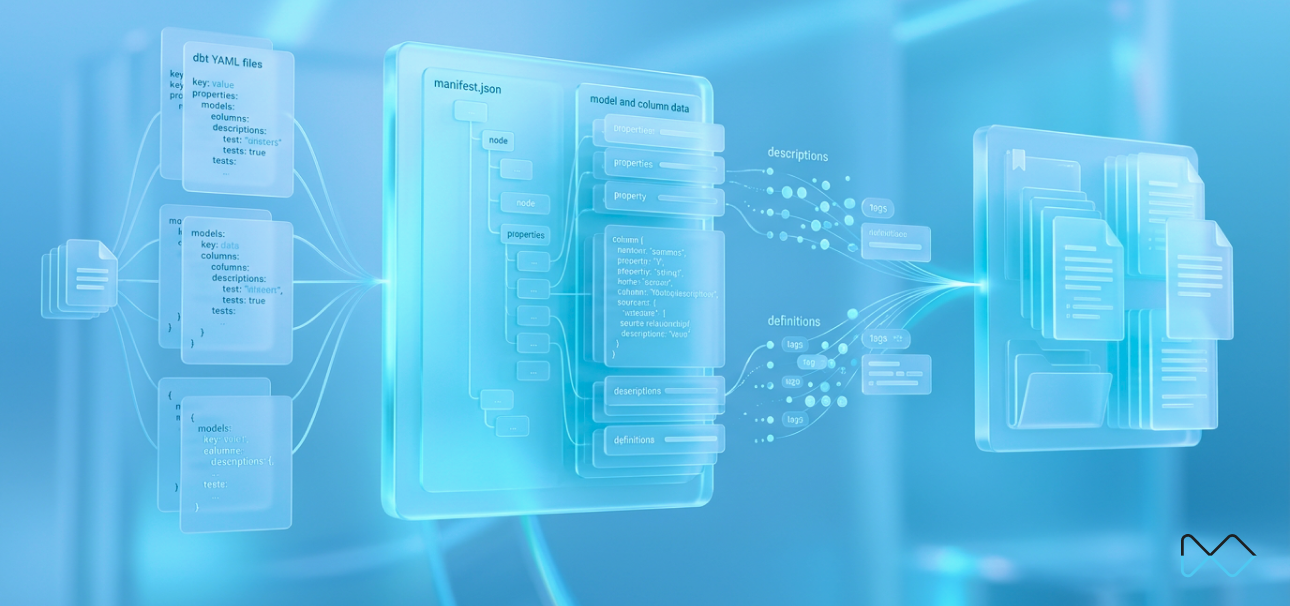
Have you ever gone through the trouble of writing a clean, useful description for every model and column in your dbt project, and then found there's no simple way to actually pull all of them out at once? If your team already has dbt running into Snowflake, the descriptions probably already exist. Every column that matters likely has a sentence explaining what it means, sitting in a YAML file somewhere. The problem was never writing them. It's getting all of them out in one shot, instead of opening project files one at a time and copying text into a spreadsheet or a dashboard by hand.
Here's the short version: dbt already has everything it needs to give you every description in your project in bulk, in one file. You don't need new tooling, and you don't need to touch your Snowflake setup. You need two commands.
Where dbt Actually Stores Your Descriptions
dbt stores descriptions in your project's schema.yml files, not in the warehouse. When you run dbt, those descriptions are compiled into manifest.json, a single file that holds every model, every column, and every description in the project, all in one structured place. Everything downstream (the dbt docs site, a script, a dashboard) reads from that compiled file, not from your YAML directly.
That's worth sitting with for a second: descriptions live in version control, which means they're reviewable in a pull request like any other change, and also means they're only as current as the last merged PR. The moment they diverge from what's actually deployed is the moment your info-buttons start lying to whoever's reading them.
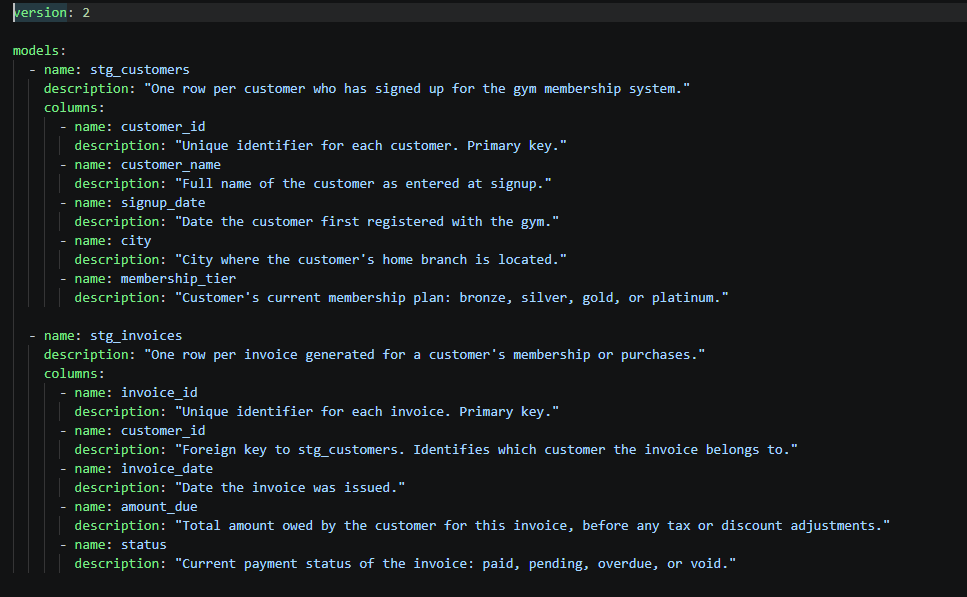
Descriptions start here: schema.yml for stg_customers and stg_invoices.
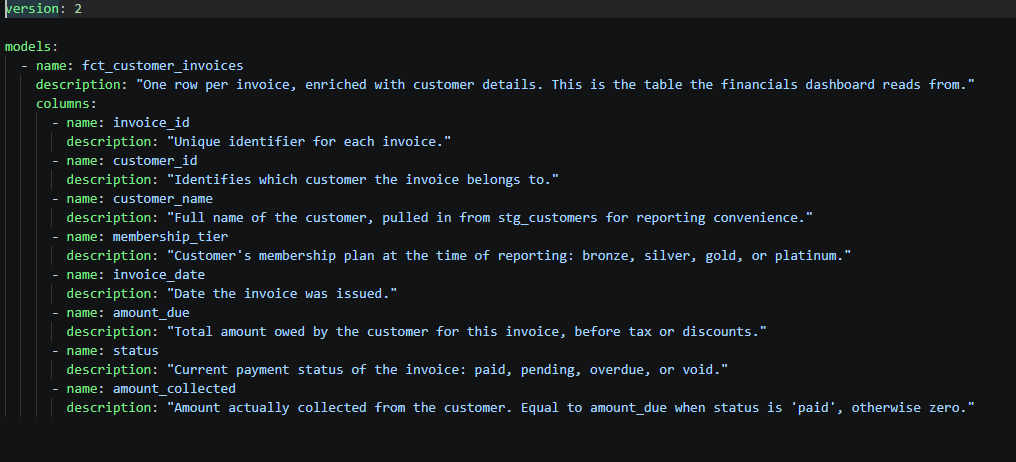
The same pattern on a downstream model: schema.yml for fct_customer_invoices.
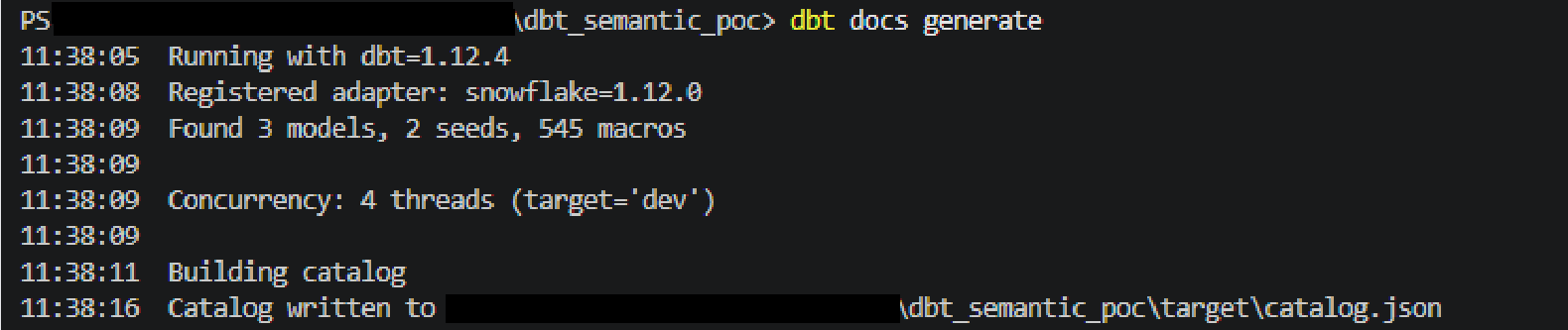
Running dbt docs generate compiles every schema.yml in the project into one file.
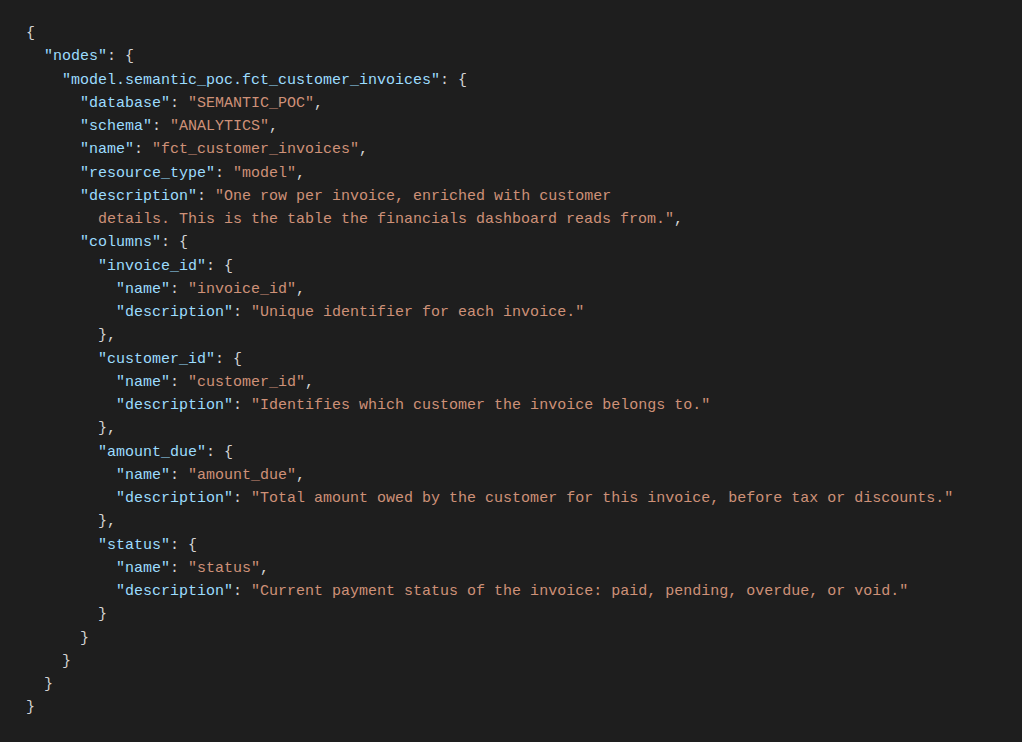
That file is manifest.json: the same model's description and column descriptions, now in one structured place.
The Simple Way To Get Everything Out At Once
dbt already ships a command that compiles every model, column and description across the whole project into that single manifest.json file: dbt docs generate. Run it once, from your project folder, and you have a structured, always-current record of every description that exists anywhere in the project.
From there, it's just a parsing step. manifest.json is a JSON file, so a short script can walk through it, pull out each model and column's description, and write it all out as a clean CSV: one row per model or column. That's the whole method: run dbt docs generate, run a small script that parses the resulting JSON, and you're holding a complete, structured list of every description in the project, ready to feed straight into a dashboard's info-buttons, a data dictionary, or wherever it needs to live.
No new infrastructure, no changes to Snowflake, no manual copy-pasting. Just two steps, run from a project you already have.
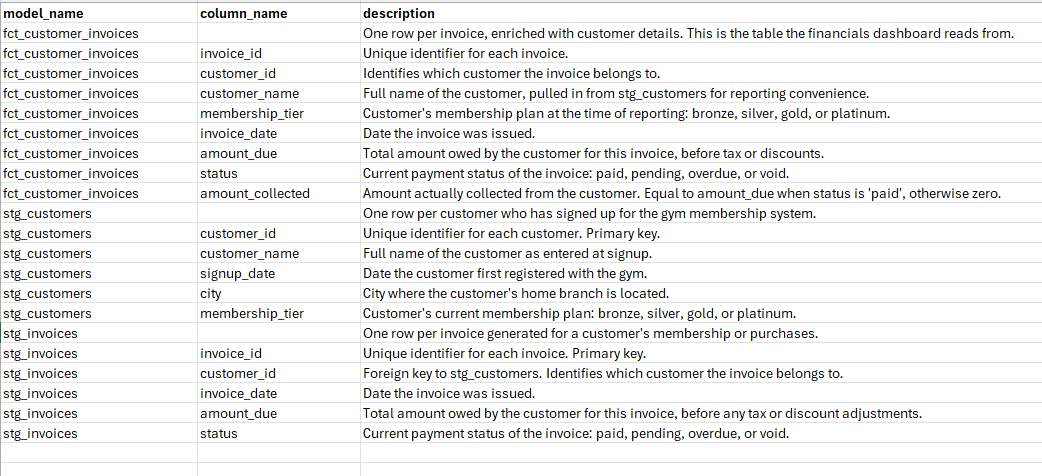
The output: every model and column description in the project, parsed out into one CSV.
Where This Breaks Down and When to Automate It
The manifest.json is regenerated every time dbt runs, so what you're parsing is a snapshot, not a live source. Pull it once, and it's accurate as of that moment; fine if you just need a one-time, complete list of descriptions to seed something.
The trouble starts once that CSV is powering something people actually rely on day-to-day, like dashboard info buttons. A one-off pull is reliable enough under about fifty models. Past that, someone adds a model or edits a description, nobody re-runs the script, and the CSV quietly drifts out of sync with what's actually documented in the project. At that point, the extraction needs to stop being something a person remembers to run, and start running on its own, triggered in CI on every merge, so the output never has the chance to go stale.
If your team's dbt project has grown past the point where a manual pull feels safe, that's usually the sign it's time to automate it rather than hope someone remembers. NeenOpal has helped teams wire exactly this kind of extraction into CI so it never goes stale. Happy to talk through what that looks like for your setup.
Want every description in your dbt project pulled out in one go, without wiring it up yourself?
Talk to us about setting this up, as a one-off pull or as an automated pipeline, for your project.
FAQ
1. Where are dbt descriptions actually stored?
In your project's schema.yml files, under version control, not in the warehouse. They're compiled into manifest.json every time dbt runs, and that compiled file is what any downstream tool or script actually reads.
2. How do I bulk-extract descriptions from dbt?
Run dbt docs generate to compile your project into manifest.json, then parse that file with a script that walks through each model and column and writes their descriptions out to a CSV. That gets you every description in the project in one output, instead of copying them one field at a time.
3. What is manifest.json?
It's the single structured file dbt produces (via dbt docs generate) that contains every model, column and description in your project. It's the definitive, always-current source everything else reads from.
4. Do I need to change anything in my dbt project or Snowflake setup to do this?
No. This works entirely with what's already in place, an existing dbt project with descriptions in the YAML files, and the dbt environment your team already uses to run it. Snowflake needs no changes at all.
5. Can I automate this so the output doesn't go stale?
Yes, trigger the same two steps (generate the manifest, parse it) in CI on every merge, instead of running them by hand. That's the point past which a one-off script should become a pipeline.
6. How many models is a one-off extraction reliable for?
Roughly fifty. Below that, running it manually alongside doc updates is fine. Past it, descriptions drift between runs faster than anyone catches by hand, and it needs to run automatically instead.