
|
QUICK ANSWER Salesforce–Shopify integration syncs your Shopify store data — customers, orders, products and inventory — with Salesforce CRM so both stay aligned in real time. You can connect them four ways: a pre-built app from the Shopify App Store or Salesforce AppExchange, an iPaaS/middleware tool, a custom REST or GraphQL API integration, or Salesforce's native Data Cloud (Data 360) Shopify connector (beta in 2026). |
Salesforce and Shopify can be integrated to allow for a smooth data transfer between the two platforms. This integration enables the synchronization of customer information, product data, and order details, as well as more advanced features such as inventory level syncing and automated workflows. Various third-party apps are available to integrate Salesforce and Shopify, or companies may create custom integrations using APIs.
Shopify stores e-Commerce data, including sales, orders, customer details, and inventory, which can be optimized through integration with Salesforce. This integration allows companies to have a complete overview of their workflow in one place, making it easier for companies with multiple Shopify stores to manage marketing, finances, and customer support.
The Shopify to Salesforce Integration manages all e-Commerce data in Salesforce and enables users to load it into data warehouses or another third-party tool for analysis and insights, helping store owners to gain a competitive advantage.
|
Planning a Shopify–Salesforce integration of your own? NeenOpal's Salesforce consulting team helps enterprises design secure, scalable integrations and turn e-commerce data into decisions that drive growth. |
Salesforce–Shopify integration methods compared (2026)
Shopify and Salesforce don’t share a single one-click native integration, so the right approach depends on data complexity, sync direction and budget. Most teams connect them one of four ways — a ready-made connector, middleware, a custom API build, or Salesforce’s native Data 360 (Data Cloud) Shopify connector, which is in beta in 2026. The table below shows how they compare.
|
Method |
Best for |
Setup time |
Indicative cost & trade-off |
|
Pre-built app / connector (Shopify App Store or AppExchange) |
Standard sync of customers, orders and inventory; SMBs and quick wins |
1–2 days |
~$0–$300/mo (from ~$19/mo). Fast, but limited customization. |
|
Middleware / iPaaS (e.g., Skyvia, Celigo, Zapier) |
Multi-app workflows and moderate transformation logic |
1–2 weeks |
Subscription-based. Flexible, but adds platform dependency. |
|
Custom API (REST / GraphQL) |
Complex, bidirectional, multi-store logic and custom objects |
4–12 weeks |
~$2,000–$15,000 single build (up to $50k+ complex); ~$2k–$10k/yr upkeep. Most control. |
|
Native Salesforce Data Cloud (Data 360) Shopify connector |
Unifying Shopify data for analytics and AI inside Data Cloud |
Varies |
Included with Data Cloud. Batch + zero-copy; beta as of 2026. |
On cost and timeline, a pre-built connector typically runs about $0–$300/month and goes live in 1–2 days, while a custom REST or GraphQL build usually costs $2,000–$15,000 for a single-system connection — and $10,000–$50,000+ for complex, multi-store syncs — over 4–12 weeks, plus roughly $2,000–$10,000 a year in maintenance.
Rule of thumb: a connector wins for speed and standard records; a custom API wins when you need bidirectional sync, multi-store rollups or custom objects; and Data Cloud is the path when the end goal is unified e-commerce dashboards and analytics.
Benefits of Shopify to Salesforce Integration
In a typical Shopify-to-Salesforce sync you’ll move customers and contacts, orders, products, collections and categories, inventory levels, and fulfillment status — one-way or bidirectional, in real time or near-real-time. That shared data is what unlocks the benefits below.
A few benefits of using Shopify to Salesforce Integration are listed below:
-
Shopify to Salesforce lets companies synchronize customer details, orders, products, categories, and other details in real-time.
-
Salesforce can use the customer’s details from Shopify to email Marketing and gather more information via surveys.
-
E-Commerce data is of great use. Companies can run Analytics on e-Commerce data from Shopify to Salesforce.
-
Shopify to Salesforce Integration offers efficient customer support for any queries or complaints regarding products. The requests can be easily transferred to Salesforce and managed there.
|
WHAT CHANGED IN 2026 The REST-API walkthrough below still reflects the core flow, but two Shopify changes matter for new builds. Private apps were retired in 2022 and converted to custom apps; from January 1, 2026 you can no longer create new custom apps in the Shopify admin — new ones are created in the Shopify Dev Dashboard (existing apps keep working). Also, the REST Admin API is now legacy (since Oct 2024); new public apps should target the GraphQL Admin API. Treat the steps below as the conceptual blueprint and substitute the Dev Dashboard + GraphQL where you're building fresh. |
Salesforce Integration with Shopify via REST API
Shopify is a platform that enables individuals and businesses to create an online store and sell their products. To integrate Shopify with Salesforce, a Shopify account is required. This integration allows for data transfer between the two platforms, such as customer data, product information, and order details.
An access token and password are needed to achieve this integration, which can be generated by creating a private or custom app within Shopify. This integration provides a comprehensive view of the workflow and can be used to analyze data, run marketing campaigns, manage finances, and provide customer support, among other things.
1. Create a Private/Custom app in Shopify:
-
Login into your Shopify account/store.
-
From the options available on the left side apps, click on Manage Private apps.
-
Click on “Create new private app” and fill out the details of the private app.
-
After creating the app, you will get the API key and password.
2. Things to do in Salesforce org before proceeding further are:
-
First, we need to place the Shopify store URL (Example URL in the private app created in the Shopify store) in Remote Site Settings.
-
We need to create a certificate in Salesforce that will make Salesforce a trusted site, and Shopify will accept the certified request and sends the data.
3. Steps we need to follow for fetching data from Shopify to Salesforce:
-
First, we need to create a REST class to fetch the data from Shopify.
-
We need to create a VF page and call the REST class from the VF page.
POSTMAN TESTING
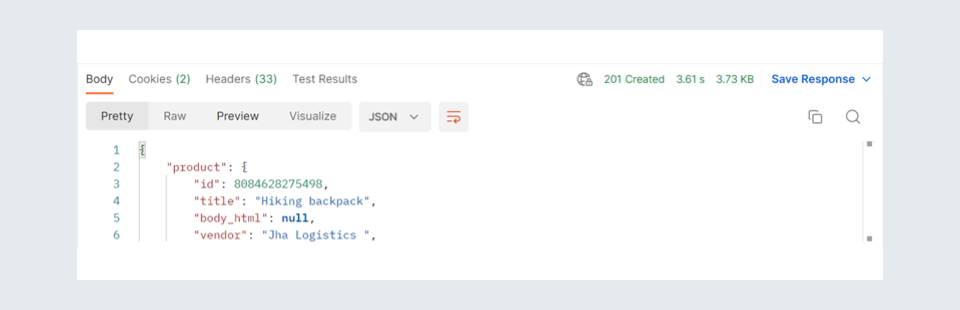
Postman is a popular tool used for API (Application Programming Interface) testing and development. It allows you to send HTTP requests to a server and receive the response, making it easy to test and debug APIs.
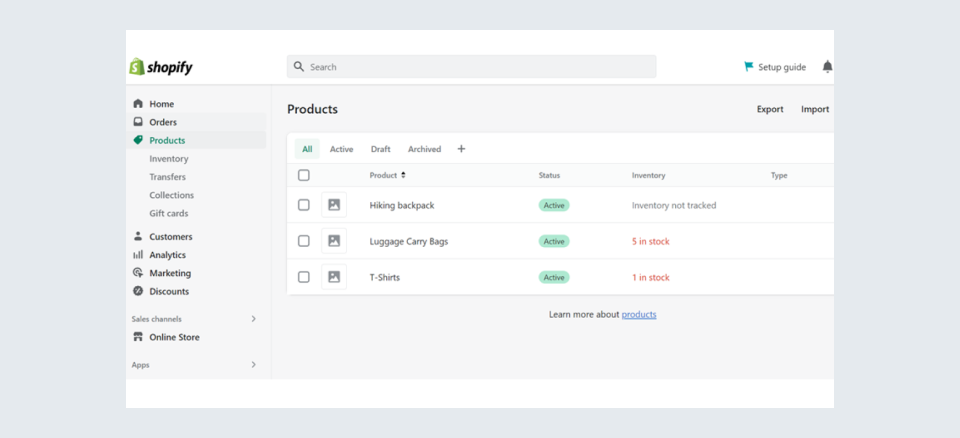
1. Post Method
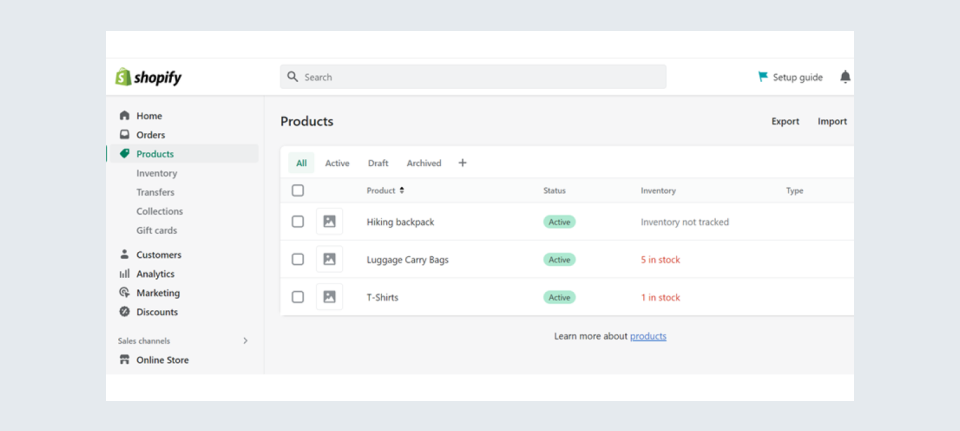
2. Get Method
Where your synced data goes next
Centralizing Shopify data in Salesforce gives teams a single customer view for support, marketing and forecasting. The bigger payoff comes when that unified data flows into a warehouse such as Amazon Redshift, where you can run the deeper, cross-channel analytics that neither platform delivers on its own — turning day-to-day sync into a long-term competitive advantage.